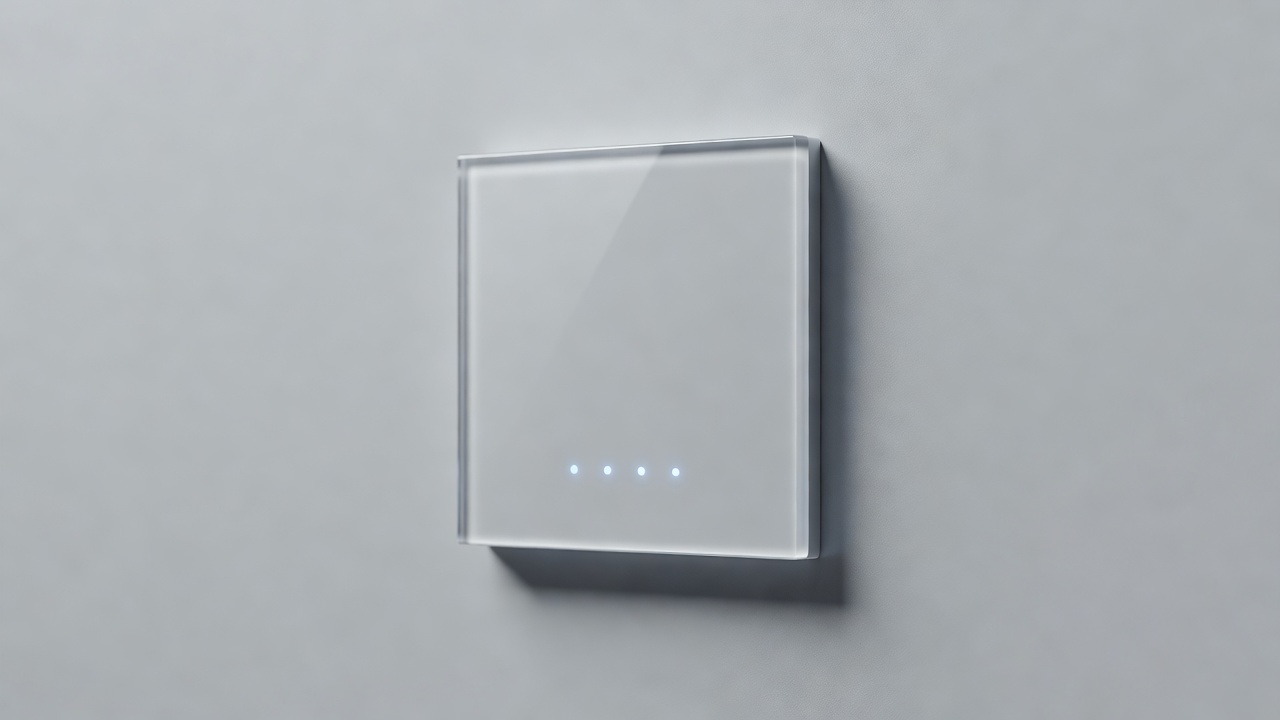
When engineering a smart home, immense focus is placed on protocols, neutral wires, and automation logic. However, the physical switch is the primary tactile interface between the occupants and the architecture. A visually jarring or ergonomically frustrating switch can ruin the experience of an otherwise perfectly automated lighting system.
The design language of smart switches has evolved significantly from the bulky, plastic prototypes of a decade ago. Today, manufacturers offer a broad spectrum of form factors designed to blend seamlessly into traditional decors or stand out as modernist technological statements. This guide explores the physical design considerations of smart lighting hardware.
The Tactile Interface: Rocker vs. Toggle vs. Touch
The core interaction model of the switch dictates its daily usability. Because a smart switch must remain physically in place regardless of the light's actual state (since the light could be turned on via an app while the switch is physically pushed "down"), traditional on/off paradigms had to change.
The Decora-Style Rocker
This is the most common form factor in North America. It mimics the wide, flat, rectangular paddle of a standard Decora switch. However, instead of snapping into a permanent "up" or "down" position, smart rockers rest in a neutral middle position. Pressing the top sends an "on" signal, and pressing the bottom sends an "off" signal. The paddle immediately springs back to the center.
The primary advantage of the rocker is familiarity. Visitors to your home will intuitively know how to operate it, and it fits flawlessly into existing multi-gang faceplates alongside traditional dumb switches.
The Tactile Push-Button
Popularized by premium smart home brands, the push-button design utilizes a single, flat square or rectangular button. A single tap toggles the state (on if it was off, off if it was on). Pressing and holding might activate dimming. These offer a very clean, minimalist aesthetic but require a slight adjustment in muscle memory compared to directional rockers.
Capacitive Touch Panels
Shedding physical moving parts entirely, capacitive touch switches utilize a sheer plane of tempered glass, similar to a smartphone screen. A tap on the illuminated icon toggles the light. These provide a highly futuristic, ultra-modern aesthetic, often favored in contemporary architecture.
However, touch panels have distinct ergonomic drawbacks. They lack tactile feedback; you cannot navigate to the switch in the dark and operate it purely by feel without potentially triggering the wrong light. They also show fingerprints readily in well-lit rooms.
Multi-Function Keypads and Built-In Displays
As the smart home expands, single-load switches are giving way to multi-function keypads. A keypad replaces a single switch with a grid of 4 to 8 smaller buttons. While one button might control the physical wiring load (the overhead light), the other buttons can be programmed via your smart home hub to trigger scenes (e.g., a "Goodnight" button that locks the doors, arms the alarm, and turns off all downstairs lights).
At the highest end of the market, physical buttons are being replaced by small LCD or OLED touchscreens mounted in standard switch boxes. These mini-dashboards can display weather, control thermostats, show intercom camera feeds, and offer endless pages of lighting controls. While incredibly powerful, they introduce a level of visual complexity that may overwhelm casual users.
LED Indicators and Status Lights
Because a smart switch's physical position doesn't indicate the state of the light, manufacturers rely on LED indicators. These serve multiple purposes:
- Locators: A faint glow allows users to find the switch in a pitch-black room.
- Status: A bright LED indicates whether the load is currently active.
- Dimming Levels: A vertical row of tiny LEDs alongside a rocker indicates the current brightness percentage.
When selecting a switch for a bedroom or home theater, it is imperative to check if the manufacturer's software allows you to disable or dim these LED indicators. A bright blue status LED can be highly disruptive to sleep environments.
Matching Existing Infrastructure
A critical aesthetic consideration is integration with existing hardware. If you are replacing one switch in a three-gang box (a wall plate with three switches side-by-side), the smart switch must match the color, finish, and profile of the remaining dumb switches. Mixing gloss white plastic dumb switches with a matte white smart switch will look disjointed.
Furthermore, ensure the smart switch utilizes a standard yoke that accepts standard off-the-shelf faceplates, particularly screwless faceplates which offer a much cleaner architectural finish by hiding the mounting hardware.